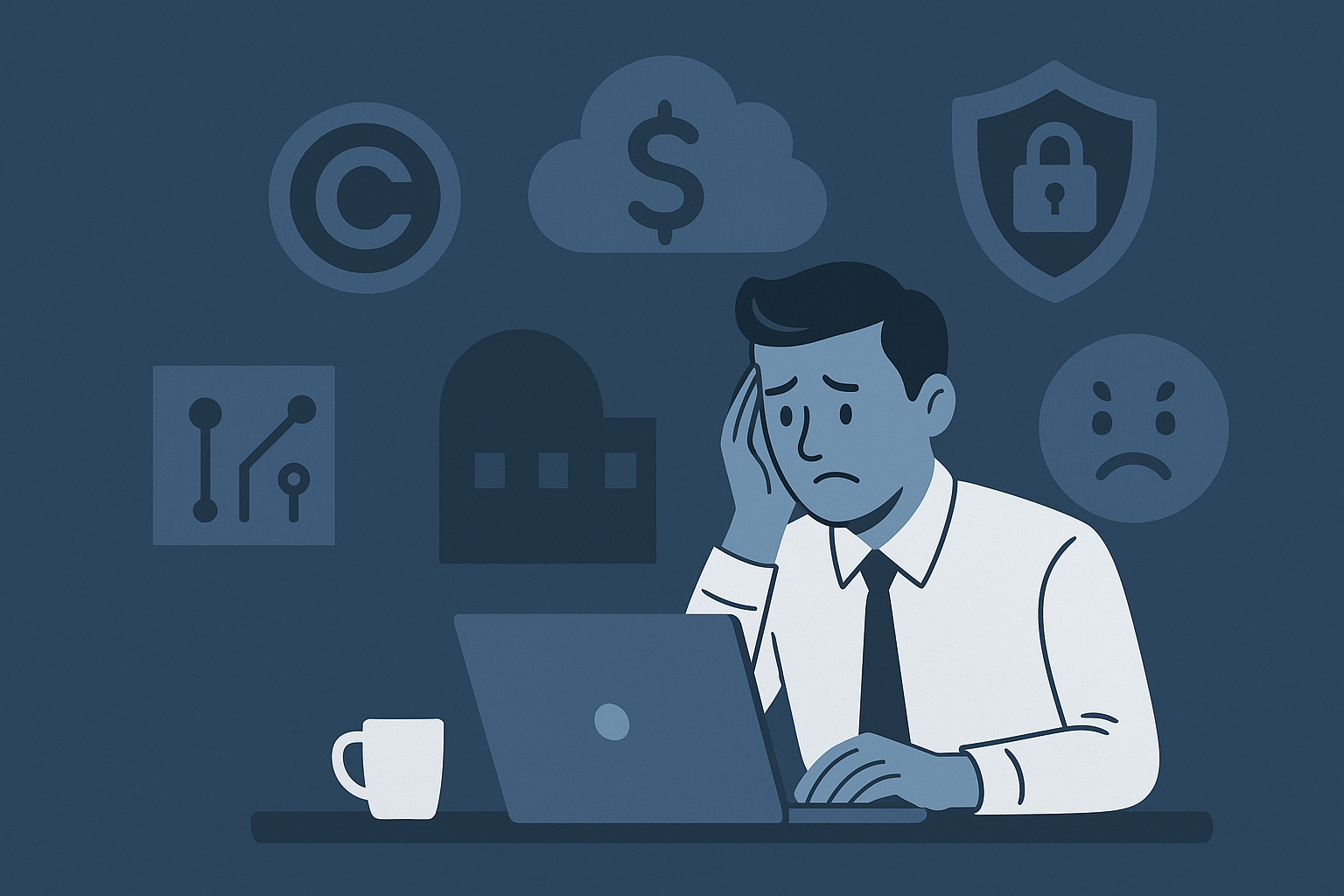
Most Milwaukee businesses keep working with their current IT provider longer than they should simply because switching feels difficult. But the real risk is not switching. The most common red flags are easy to spot once you know what to look for:
You do not get strategic guidance, just ticket replies.
Your MSP is reactive: they fix issues, but they do not help you prevent them.
They are not advising on security, compliance, budgets, or insurance requirements.
You do not receive reports, benchmarks, or clarity around risk.
Leadership cannot answer basic questions like:
How secure are we
What is our downtime risk
What is our five-year tech plan
That means your MSP is not managing your IT. They are simply servicing it.
A strategic MSP acts as a partner, not just a support vendor. It keeps systems monitored, proactively managed, and aligned with business goals. If your MSP cannot explain your IT strategy in plain language, it likely does not exist.
2. Slow Response and Recurring Downtime
If your IT provider cannot resolve issues quickly, or worse, cannot prevent them, you are paying for disruption. If that’s the case, some of the following may sound familiar.
You wait hours or days just to get a callback. Support tickets get bounced between technicians or feels like a merry-go-round of support tiers, where you have to keep explaining yourself to multiple people before you finally get to the person with enough expertise to fix the issue you’re having.
They blame vendors, software, or “permissions” rather than fixing the problem. Your users experience recurring disconnections or slow systems, even when you’re updated hardware recently, and the same problems keep repeating every few weeks.
The financial impact is easy to underestimate. According to IDC, the average cost of SMB downtime is $8,000 per hour. That does not include reputational damage, lost clients, or stalled production.
The strongest IT support Milwaukee businesses rely on does not live in ticket queues. It prevents downtime through monitoring, automated remediation, and active alert response. MSPs that take days to solve issues are simply not equipped to support modern operations.
3. Hidden Costs and Unclear Billing
A mature MSP should help you budget, not surprise you with unpredictable charges.
Red flags in billing:
Surprise invoices for “out-of-scope” work
Added charges after ticket resolution
Hardware marked up without explanation
Licensing confusion left for your staff to sort out
No IT lifecycle planning, just break-fix billing
The right outsourced IT support Milwaukee model should deliver predictable, measurable value. It should include planning, forecasting, and clear reporting on spend, risk, and performance. You should always know what you are paying for, why it matters, and how it improves your technology posture.
If your MSP only invoices and never helps plan, you are working with a vendor, not a partner.
4. Outdated Technology and Increased Risk
Outdated systems are more than an inconvenience, they are an open door for data loss, cybersecurity threats, downtime, and insurance denial.
Here are some common risks you might have in your environment if your support provider isn’t paying attention or lacks tools or expertise:
No MFA enforced on user accounts
Expired antivirus or basic protection only
No backup verification or recovery testing
Unsupported operating systems or unpatched servers
Provider cannot assist with cyber insurance or compliance documentation
Cyber insurers now require documentation, monitoring, endpoint protection, event logging, and security policies. If your MSP is not preparing you with these, you are at real risk of rejection, premium increases, or uncovered breaches.
An effective Milwaukee IT provider helps you adopt modern security tools, align with compliance frameworks, and document maturity. It ensures your systems do more than work. They protect you.
5. What Better Looks Like: The Centurion Standard
When comparing providers, it helps to see a clear side-by-side difference. This is what sets Centurion apart in the MSP comparison conversation.
Typical MSP
Centurion Data Systems
Only fixes issues
Proactively monitors, detects, and prevents them
No planning or roadmap
Clear IT planning, budgeting, lifecycle forecasting
Client-first response policy with real accountability
Invoice-driven relationship
Data-driven partnership with reporting and risk scoring
One tech managing everything
Local certified team, multiple specialists, real coverage
No compliance assistance
HIPAA, NIST, CMMC, cyber insurance prep built in
We help Milwaukee businesses understand where their current MSP is not delivering. We do it with measurable benchmarks, clear documentation, and strategic alignment, not assumptions.
Get a Free MSP Performance Review
Your technology may be working, but that does not mean it is helping your business. Schedule a complimentary performance review and we will walk you through:
✔ Your MSP’s response and uptime metrics ✔ Gaps in risk, security, and compliance readiness ✔ Real-time infrastructure health scoring ✔ Budget and licensing inefficiencies ✔ A personalized modernization plan
Not sure if your current IT provider is keeping up with your business, your risk profile, or your growth plans?
Use this MSP Evaluation Checklist to review response times, communication, security practices, documentation, and overall alignment with your business goals so you can decide whether to stay, renegotiate, or start looking for a better fit.
When MIT released its Project NANDA report this summer, headlines fixated on a startling figure: 95% of enterprise AI projects fail to deliver meaningful results. For Wall Street, it was a warning flare about overhyped technology. For business leaders in Milwaukee and beyond, it raises a sharper question: if companies are spending millions on AI but getting nothing back, who actually is making AI work?
The answer might not be who you think.
AI in the Shadows
The MIT researchers discovered a parallel economy thriving just below the radar of CIOs and CFOs: the Shadow AI economy. While multimillion-dollar deployments stall in pilot purgatory, employees across industries are quietly turning to consumer-grade tools like ChatGPT, Claude, and Midjourney to speed up their work.
They’re writing proposals faster, automating spreadsheets, drafting reports, and even brainstorming new product ideas, often without approval, and sometimes against policy. According to the study, more than 90% of employees already use AI in some form. Most never reported it to IT.
The irony? Workers are realizing measurable productivity gains while corporate projects crumble under the weight of bureaucracy and over-engineering.
Why Big Projects Fail—And Small Ones Win
Official AI rollouts often collapse under familiar pressures: governance slowdowns, tool sprawl, integration nightmares. By the time a solution gets to the frontline worker, it’s clunky, fragmented, and outdated.
Employees, on the other hand, gravitate toward what works. Consumer tools are fast, flexible, and relentlessly improved. For the people doing the work, the choice is obvious.
This tension is driving the quiet divide: companies that ban AI risk losing ground to competitors who learn to govern it instead.
The Hidden Business Case
Buried in the MIT report was another overlooked insight: the biggest payoffs aren’t in flashy front-end pilots but in back-office operations. Document processing, compliance reporting, customer service workflows, and other areas that were once considered too mundane to innovate are now prime targets for AI automation.
Organizations embracing AI in these areas are already seeing annual savings in the millions, without cutting staff. For small and mid-sized businesses, that translates into efficiency gains that can reshape margins and free up teams to focus on growth.
So What Should Leaders Do?
The message is clear: pretending Shadow AI doesn’t exist is a losing strategy. Employees are already bringing these tools into the workplace. The real question is whether leadership chooses to get ahead of it—or wait for compliance violations, data leaks, or client trust issues to force the conversation.
That’s where a structured Shadow AI Audit comes in. It’s a way to bring daylight to what’s already happening inside your business: mapping usage, uncovering risks, and, critically, pinpointing the hidden wins you can scale safely.
Bringing AI Into the Light
At Centurion Data Systems, we’ve seen this pattern unfold across Greater Milwaukee’s SMB landscape: manufacturers, healthcare groups, financial firms. Employees lean on AI because it helps them do their jobs better. Leadership hesitates and worries about risk. The companies that bridge that divide by governing Shadow AI without crushing it are the ones unlocking real value.
That’s why we launched our Shadow AI Audit. It’s designed to help local businesses turn Shadow AI from a liability into an advantage: safely, securely, and with measurable ROI.
Because AI isn’t failing. It’s the way enterprises are trying to use it that’s broken. The workers have already proven it works. Now it’s time to meet them halfway.
Milwaukee businesses rely on data for everything. Orders, estimates, payroll, production schedules, EHR systems, lab results, client files, project plans. When that data is gone or locked up, the business does not just “slow down.” It can stop.
Most organizations know they should have backups. Fewer can confidently say, “We have tested restores, we know our recovery time, and we know exactly what happens if a server, cloud tenant, or workstation is lost.” That gap is where real damage happens.
This guide breaks down what local businesses really need to know about backup and recovery, why it matters, and how to approach it in a way that fits a Milwaukee SMB budget.
1. The Cost of Data Loss
Data loss is not just an IT problem. It is a business survival problem:
A 2025 analysis of U.S. businesses found that 93 percent of organizations that experience prolonged data loss of 10 days or more go bankrupt within a year.
For a Milwaukee manufacturer, clinic, or professional firm, that level of impact is not just “painful.” It can be unrecoverable.
Good backup and recovery is one of the few controls that directly reduces that risk. It does not stop every attack, but it can turn a business-ending event into an expensive inconvenience.
2. Why Disaster Recovery Matters
Backup is the copy. Disaster recovery is the plan.
Most businesses have some form of backup in place. A USB drive, a NAS in the server room, or a cloud sync tool. That is better than nothing, but it does not answer the critical questions:
How fast can we restore if our main server is encrypted or fails
How much data can we afford to lose between backups
What if the office floods or burns and the on-site backup is destroyed
Who is responsible for kicking off the recovery and in what order
Recovery Time Objective (RTO) How long you can reasonably be down per system. For example, email might tolerate four hours. ERP or EHR might tolerate one hour or less.
Recovery Point Objective (RPO) How much data loss is acceptable. For some, losing four hours of data entry is survivable. For others, even 30 minutes is a problem.
Runbook and responsibilities Who calls the MSP, who communicates with staff, who talks to regulators or clients, and in what order systems are restored.
For Milwaukee businesses that have lived through flooding, power issues, or ransomware scares, a tested disaster recovery plan is the difference between scrambling and executing.
3. Cloud vs On-Prem Backup
There is no one perfect approach. A solid backup strategy usually combines both.
On-Prem Backup
On-prem solutions usually involve:
Backup appliances or NAS devices in your office
Local copies of server images and key data
Faster local restore for large volumes of data
Pros:
Very fast restore speeds for large datasets
Full control over hardware and configuration
Helpful for bandwidth-constrained sites
Cons:
Single-site risk. Flood, fire, theft, or ransomware that hits your network can take out both production and local backups.
Maintenance burden. Someone must monitor, update, and replace hardware.
Cloud Backup
Cloud-based backup usually means:
Encrypted backups sent securely to a provider’s data center
Off-site storage that is isolated from your local network
Often includes built-in immutability and retention options
Pros:
Off-site by design, so local disasters do not remove all copies
Often supports immutable backups that cannot be altered or encrypted by attackers
Easier to scale as data grows
Cons:
Restoring very large systems over a limited internet connection can be slower
Ongoing subscription cost
Not all cloud backup tools are equal. Some are built for file sync, not true recovery.
The Real Answer: Hybrid
For most Milwaukee SMBs, the right pattern is hybrid backup:
Local backup appliance for fast everyday restores and quick recovery of files or VMs
Cloud backup or replication for off-site protection and ransomware-resilient copies
Regular restore testing so you know both actually work
If your current provider cannot show you when your last test restore happened, that is a red flag.
4. Real Data Breach and Data Loss Stories
It is easy to treat data loss like a distant problem. The reality is that Wisconsin and nearby organizations are seeing serious incidents.
A few examples:
Group Health Cooperative of South Central Wisconsin In 2024, the Group Health Cooperative reported that a BlackSuit ransomware attack stole personal and medical data for more than 500,000 patients. Systems had to be taken offline while the incident was contained and investigated.
ConsensioHealth, Wisconsin based medical billing service In 2023, ConsensioHealth disclosed a ransomware attack affecting over 60,000 individuals, including exposure of protected health information while systems were disrupted and data access was limited.
Johnson Controls global breach In 2023, Johnson Controls suffered a major cyber incident that later was reported to impact over 76 million households and 7 million small businesses worldwide due to exposed customer records.
Wisconsin DATCP breach list The Wisconsin Department of Agriculture, Trade and Consumer Protection maintains a public list of data breaches that affect state consumers, with new incidents being reported every year.
These are mostly larger organizations, but the pattern is clear. Attackers do not care where you are located or how big you are. They care about whether you are easy. Small and mid-sized businesses often have weaker backup and recovery, and that makes them attractive targets.
A 2025 SMB cybersecurity review by StrongDM noted that nearly 40 percent of small businesses reported losing crucial data after an attack and 75 percent said they could not continue operating if hit with ransomware.
Without working, tested backups, “we were down for a few hours” can turn into “we never reopened.”
5. How to Protect Your Business:
Backup is not just a checkbox in your stack. It is one of the first things we look at when we assess a business environment.
Here is how to best approach it:
1. Inventory and Risk Mapping
First, start by mapping:
What systems you have
Where your data actually lives
Which systems are mission critical, important, or nice to have
Then we tie that to RTO and RPO that make sense for your business, not just generic numbers.
2. 3–2–1 Backup Strategy
Next, when it’s time to design backup, focus around the classic pattern:
At least 3 copies of your data
Stored on 2 different types of media or platforms
At least 1 copy off-site and isolated from your main network
In practice, that often means image and file backups locally, plus hardened cloud backups that are immutable for a defined retention period.
3. Ransomware-Aware Backups
Modern threats target backups directly. Counter that with:
Backup solutions that support immutable restore points
Separation between production credentials and backup credentials
Regular monitoring and alerting on backup job health
If an attacker gains access to a server, we do not want them to be able to simply delete or encrypt your backup sets.
4. Documented Disaster Recovery Runbooks
Next, build and maintain a written DR plan that covers:
Who calls whom
In what order systems get restored
How to communicate downtime to staff and customers
How to handle cyber insurance and regulatory notifications where applicable
This is not theory. We use real scenarios based on your environment and industry.
5. Regular Restore Testing
Backups that have never been tested are not a strategy. They are a hope.
Make sure to schedule test restores and document:
How long it took
Any failures or issues
What needs to be adjusted for next time
You should be able to see proof, not promises.
6. Next Step: Get a Backup and Recovery Health Check
If you had to restore a server today, how confident are you that it would work the first time and within an acceptable window?
If the answer is anything less than “very confident,” it is worth having a direct look at your backup and disaster recovery posture.
Centurion offers Milwaukee businesses a Backup and Disaster Recovery Health Check that includes:
Review of existing backup tools and policies
Verification of backup coverage for servers, cloud apps, and key endpoints
Evaluation of RTO and RPO against business reality
Identification of single points of failure
Practical recommendations you can act on, with or without us
No scare tactics. No jargon. Just a clear, honest look at what would really happen if you lost a server, a cloud tenant, or an office tomorrow.
Recent reports from Tom’s Guide and Fast Company confirm that private ChatGPT conversations are appearing in Google search results. For individuals, that’s alarming. For business owners, it’s potentially catastrophic.
Imagine an employee using ChatGPT to draft a financial forecast, troubleshoot a security issue, or brainstorm a client project – and that conversation becomes publicly accessible online. That’s not just an embarrassing privacy slip. It’s a potential data breach, a compliance violation, and a reputational risk rolled into one.
If you think it’s only tech-savvy employees using AI, think again. These tools have quietly made their way into marketing, finance, HR, and customer support. Many business owners don’t realize how much company data is already passing through AI tools—sometimes without any oversight.
How Did This Happen?
ChatGPT conversations don’t automatically appear on Google. The issue comes from shared conversation links in ChatGPT. Users can create shareable URLs for their chats, often to collaborate with coworkers, or between personal and work accounts, or during document work. If those links aren’t locked down or get posted publicly (e.g., on blogs, forums, or shared documents that are indexed), Google and other search engines can crawl and index them.
This means what was intended as a simple collaboration step can quickly turn into a public data leak. Employees often don’t realize this risk because they assume that since they’ve signed into an account, especially if the account is paid, that their conversations are always private, even if they opted to make the conversation link “discoverable by anyone.” Random people out there don’t know that the link exists, right? Correct. But search engines do. They can now crawl and index it. The result: internal conversations—sometimes containing sensitive client or operational information—can show up in a basic web search.
Since the issue was reported by Fast Company, there have already been updates that Google and OpenAI are working together on solving this issue. OpenAI CISO Dane Stuckey announced that the feature to share chats in web searches would be removed from the ChatGPT app. The cached chats may still be showing up in search while they’re working with Google to remove it.
However, there are currently no guarantees released that some chat that ended up is search engine’s caches, may not show up, ever. And, more importantly, there is always a risk of things like that happening in the future. Not this exact issue, perhaps, but something completely unforeseen.
Business Impact: Why Owners Should Be Concerned
This isn’t just an IT issue. It’s a business risk with multiple layers:
Client Trust: If client information appears in a public ChatGPT chat, you risk losing accounts and damaging relationships.
Compliance Violations: For industries under HIPAA, GDPR, or financial regulations, exposing data via AI tools can trigger audits and fines.
Competitive Exposure: AI chats often include details about pricing models, sales strategies, or product roadmaps. That’s exactly the kind of intelligence competitors love to find.
Reputation Damage: Even if content is removed later, archived pages and screenshots can live on. Prospects, partners, and investors doing due diligence may find them long after you’ve taken action.
What makes this problem unique is that it often happens without malicious intent. Employees are just trying to be efficient. But unmonitored AI use can turn into an expensive problem for your business.
Shadow AI – The Hidden Risk
“Shadow IT”—when employees use unapproved software—has been a known security risk for years. AI has now amplified it, giving rise to shadow AI. Employees sign up for free AI accounts, often with personal email addresses, and use them for work tasks. These accounts bypass IT controls, data policies, and compliance standards.
Why do employees do this? Because AI makes their work easier and faster. The problem is that these AI chats may contain proprietary data, customer details, or internal processes. Since no one is monitoring these tools, sensitive information can end up outside company oversight—sometimes even indexed publicly.
If your business doesn’t have a defined AI usage policy, chances are you already have shadow AI operating within your organization.
What’s Already Out There About You or Your Team?
Before assuming your company is safe, take a moment to check what’s public. Try searching Google for your company name, product names, or unique phrases you know exist only in internal documentation.
If you see unexpected results, that’s your first red flag. Set up Google Alerts with your brand name plus terms like “ChatGPT” or “ShareGPT” to monitor future exposures.
Finding indexed ChatGPT conversations tied to your business isn’t just a technical issue—it’s a leadership issue. These conversations may already have been archived or scraped by third parties, making removal more complicated. That’s why understanding and controlling your team’s AI usage is critical.
How to Secure Your Personal ChatGPT Conversations
If you’ve ever shared or saved ChatGPT conversations, start by making sure they’re not indexed publicly. Tom’s Guide outlined how to check and delete them, but here’s a simplified version:
1. Check if your conversations are indexed: Search Google for your name or unique phrases you remember using in a ChatGPT conversation. If you see your ChatGPT link (often starting with https://sharegpt.com/), it’s public.
2. Delete shared chats you no longer need: Open your ChatGPT account, go to “Shared Links,” and delete any you don’t want public. This instantly removes access to those chats.
3. Turn off conversation history: Inside ChatGPT settings, toggle “Chat History & Training” off. This prevents your chats from being stored and used for AI training and keeps them more private.
4. Avoid sharing sensitive data in any AI chat: Treat AI conversations like email: once it’s shared, you lose control.
How to Secure Your Business From AI Data Leaks
Personal cleanup is only half the solution. For business owners, the bigger issue is controlling how employees use AI. Here’s what to do:
1. Create an AI usage policy immediately Even a basic one is better than none. Define what kind of company information is acceptable to use in AI tools and what is strictly prohibited.
2. Restrict public sharing of AI chats Disable or discourage the use of “shareable links” for AI-generated content unless approved by IT or leadership.
3. Centralize AI use with company-approved accounts Provide employees with secure, company-controlled AI accounts instead of allowing personal logins. This lets you monitor access and enforce policies.
4. Conduct a shadow AI audit Find out what tools employees are already using. This is often an eye-opener for leadership because unofficial AI use is more common than expected.
5. Train your team on AI security risks Don’t assume employees know. Provide short, practical training on what’s safe to input into AI and what could put the company at risk.
6. Implement AI governance and monitoring tools Use platforms designed to track AI usage, enforce policies, and flag risky behavior. This is especially critical if you handle regulated or sensitive data.
Why You Can’t Just Ignore This
The problem is bigger than a few public chats. AI tools are now embedded in how people work, often without guidance or oversight. Ignoring it increases your risk of:
Data breaches from unintended AI leaks
Compliance violations that trigger fines and legal issues
Loss of competitive advantage when sensitive strategy or product data leaks out
Reputation damage that erodes customer trust
And this isn’t a one-time event. The number of indexed AI conversations is growing, and malicious actors are actively scraping and analyzing AI-generated content for useful information. If your business doesn’t have a plan, you’re relying on luck.
How We Help
We work with business owners to remove luck from the equation. Our services include:
AI Policy Creation: We create clear, practical policies tailored to your business needs.
Shadow AI Audits: We identify which AI tools your team is using—official or not—and assess risks.
AI Governance & Compliance Frameworks: We implement monitoring tools and processes to keep AI use secure and compliant.
Secure AI Adoption Strategies: We help you leverage AI safely so it becomes a business advantage rather than a liability.
If you want to know exactly what AI risks exist in your business right now, we can help.
Want to know what’s out there about your company? Let’s start with a shadow AI risk assessment and discuss how to secure your business.
Contact us today to schedule a conversation and take control of AI before it becomes your next security or compliance problem.
Milwaukee businesses depend on technology for daily operations, but most internal IT teams are stretched thin. Recruiting qualified staff is difficult, compliance demands keep growing, and unplanned downtime cuts directly into profit. This is where outsourced IT comes in.
Outsourced IT support gives small and midsized companies access to enterprise-level technology management, cybersecurity, and expertise without adding headcount. It reduces downtime, stabilizes costs, and makes IT predictable instead of reactive.
According to CompTIA’s IT Industry Outlook 2025, more than 67 percent of SMBs now rely on managed or co-managed IT services to stay competitive (CompTIA). Those who switch report 20 to 40 percent lower operating costs and faster issue resolution.
Predictable Costs and Fewer Surprises
An internal IT department requires salaries, benefits, certifications, training, and replacements when staff leave. Every turnover event creates downtime and cost spikes.
Outsourced IT converts these variables into a fixed, service-based cost that scales with your environment. The result is financial consistency and reduced risk.
A 2024 Deloitte survey found that 57 percent of organizations outsource to control costs and gain predictability (Deloitte Global Outsourcing Survey).
For Milwaukee businesses, managed service plans typically eliminate:
Recruitment and onboarding costs for technical roles
Overtime during emergencies
Equipment replacement guesswork
Licensing inefficiencies
Predictable billing and proactive service make budgeting straightforward and transparent.
Access to Expertise You Can’t Hire Internally
The Milwaukee metro area continues to experience a shortage of qualified IT professionals. Cybersecurity, cloud, and automation specialists are in especially short supply.
Partnering with a managed IT provider fills those gaps immediately. You gain access to certified professionals across networking, compliance, and security disciplines — talent that would otherwise require multiple hires.
Gartner projects that by 2026, 70 percent of midmarket firms will rely on external providers to close skill gaps in security, automation, and compliance (Gartner SMB Technology Trends 2025).
For regulated industries such as manufacturing, healthcare, and financial services, this depth of knowledge ensures both operational reliability and compliance alignment.
Downtime Has a Real Cost
Every minute of downtime costs money. Lost productivity, missed client calls, and delayed production all add up quickly.
Research from IDC shows the average cost of IT downtime for SMBs exceeds $8,000 per hour (IDC Downtime Study).
Outsourced IT teams monitor systems 24 hours a day, use predictive analytics to prevent outages, and apply patches automatically. Internal IT staff rarely have the tools or bandwidth for that level of coverage.
For manufacturers, healthcare practices, and logistics providers in Southeastern Wisconsin, even brief interruptions can ripple through supply chains or client schedules. Preventing those incidents is often the single largest financial win.
Security and Compliance Require Continuous Attention
Cybersecurity risk has overtaken hardware failure as the leading cause of unplanned downtime.
The FBI’s Internet Crime Report 2024 listed Wisconsin among the top 15 states for business email compromise and ransomware activity (FBI IC3 Report 2024).
Outsourced IT providers apply continuous monitoring, threat detection, and automated response systems that most small teams cannot maintain alone. They also support compliance for HIPAA, NIST 800-171, CMMC, and state data-privacy laws.
A modern managed service partner provides:
24/7 monitoring and incident response
Managed detection and response (MDR) capabilities
Security awareness training for employees
Policy documentation to satisfy insurance and audit requirements
This approach delivers resilience without forcing you to build an internal security department.
Scalability Without Added Overhead
Business conditions shift constantly. Seasonal demand, new locations, or added remote staff often overwhelm small IT teams.
An outsourced model scales instantly. You can expand or reduce coverage as needed without hiring, layoffs, or new infrastructure purchases.
A 2024 KPMG Midmarket Technology Report found that flexibility and scalability were the top two benefits cited by firms adopting managed IT services (KPMG Technology Report).
For Milwaukee-area manufacturers or professional firms that fluctuate with project cycles, this flexibility prevents both overstaffing and service gaps.
Free Internal Teams to Focus on Growth
When repetitive support work moves off your staff’s plate, your business gains time for strategic initiatives.
Help-desk automation, proactive maintenance, and vendor management handled by your MSP let internal leaders focus on innovation, process improvement, and customer service.
A capable provider also delivers quarterly reviews, risk assessments, and technology roadmaps — aligning IT investment with business outcomes rather than reactive problem-solving.
For local organizations balancing lean teams with growth goals, that focus can change IT from a cost center to a driver of competitive advantage.
What to Look for in an Outsourced IT Partner
Before outsourcing, confirm that a provider can prove results, not just promise them.
Evaluate:
Documented SLAs with measurable uptime and response metrics
Local presence for onsite support across Greater Milwaukee
Transparent pricing and clear deliverables
Experience with your industry’s compliance and insurance needs
Demonstrated security stack including AI-driven monitoring and reporting
Regular performance reviews and accountability
An MSP should function as a strategic extension of your business — not a ticketing vendor.
A Smarter Use of Technology Resources
Outsourced IT support helps Milwaukee companies turn unpredictable technology costs into stable, measurable performance. It delivers stronger security, faster response, and better alignment between systems and business goals.
The most successful organizations treat managed IT as a partnership built on transparency and data-driven outcomes.
Centurion Data Systems helps Milwaukee businesses modernize infrastructure, strengthen cybersecurity, and plan technology for growth. If you want a clear picture of how outsourced IT can save time and money for your organization, our team can walk you through it step by step.
According to Forbes, a mind-boggling 98.5% of passwords tested against modern hacking techniques couldn’t withstand even basic attacks. This isn’t a hypothetical problem. Billions of usernames and passwords have been leaked across multiple data breaches and are now available on the dark web. These databases are frequently used by hackers to automate credential stuffing and brute-force attacks across thousands of services.
If you’re still using passwords like Summer2024!, your pet’s name, or even slightly modified versions of old ones, you’re almost certainly on borrowed time. A password that’s “good enough” a few years ago can now be cracked in seconds. The bar has been raised, and attackers are using sophisticated tools that mimic human password habits to get in faster than ever.
Why Most Passwords Fail
Hackers no longer rely on random guessing. They use massive lists of exposed passwords, some from leaked datasets totaling more than 16 billion credentials , which they blend with behavioral rules to guess what you’re likely to use. They understand that users often pick predictable patterns, like appending numbers or symbols to simple words (Password123! or Welcome2023!). Known as rule-based cracking techniques, they simulate human logic and are extremely effective. A recent arXiv study found that many human-generated passwords fall within the first few thousand guesses made by modern cracking software.
Short passwords, reused ones, or even long but predictable strings (like a quote or movie title) can often be cracked in minutes. Even when users try to get creative by substituting letters with numbers or special characters (P@ssw0rd!), those modifications are built into hacking tools’ guesswork logic.
Real-World Consequences of Password Failure
It’s not just consumers or small businesses who are vulnerable. Credential-based attacks remain one of the top vectors for enterprise breaches, often leading to ransomware infections, data exfiltration, or complete system compromise. Attackers don’t discriminate—they go for low-hanging fruit, and that often means weak or reused passwords.
Whether it’s Apple IDs, Google accounts, or Linux servers, the story is the same: if the password is weak, the account is vulnerable. Hackers use automated tools that scan thousands of login pages simultaneously, injecting lists of stolen or guessed passwords. The attack surface is massive, and weak credentials are the easiest way in.
What You Can Do Right Now
1. Use Passkeys Instead of Passwords
Passkeys are gaining momentum because they completely remove the guessable password from the equation. They use a cryptographic key pair—one stored securely on your device, and the other verified by the service you’re logging into. Since there’s no password to intercept, guess, or reuse, they neutralize phishing and brute-force attacks entirely.
Companies like Google, Apple, and Microsoft have already implemented passkeys in their platforms, and users report a dramatically smoother login experience. As noted in a LinkedIn post by Nok Nok Labs, passkey registration has a 99% completion rate, and users log in three times faster on average.
2. Adopt a Reputable Password Manager
While you’re transitioning to passkeys, a password manager is your best friend. Tools like 1Password, Bitwarden, and Dashlane can generate and store long, complex passwords that you’d never remember on your own—and that’s the point. The passwords they create aren’t connected to your personal life, making them much harder to crack.
Avoid relying solely on browser-based password vaults. These are better than nothing, but dedicated tools provide enhanced security features, like monitoring for breached credentials and alerting you when passwords need to be updated.
Even if your password is strong, it could still be exposed in a breach. That’s where multi-factor authentication comes in. MFA requires a second layer of verification—often a code sent to your phone or a biometric scan—before granting access. This means that even if someone has your password, they still can’t get in.
Security experts across the board, including those quoted in the Forbes piece, emphasize MFA as a minimum requirement for any sensitive system. It’s not just good practice; it’s essential.
4. Regularly Audit Your Credentials
Many people don’t realize their password has been compromised until it’s too late. Tools like Have I Been Pwned allow you to check whether your email or password has appeared in any known data breaches. Use this as a routine check-up. If your credentials show up on one of these lists, change them immediately across all services where they’re used.
Businesses should also conduct organization-wide credential audits. Weak or reused passwords by just one employee can be the entry point for a larger breach.
5. Choose Passphrases, Not Words
If you’re stuck with passwords, the best bet is to switch from single words to full passphrases. Think combinations like “purple-squirrel-bikeshed-elephant”—strings of random, unrelated words that are easier to remember but exponentially harder to crack. Avoid anything predictable, like movie quotes or lyrics. If a phrase is famous or shows up in a common source, it can likely be guessed.
Still, even passphrases don’t offer the protection that passkeys or MFA do. They’re a temporary fix to an outdated system that’s slowly being phased out by major tech companies.
Bottom Line
Your password is probably among the 98.5% that fail a modern hacking test. That’s not meant to scare—it’s meant to inform and empower. The best step forward is to reduce reliance on passwords altogether. Start transitioning to passkeys. In the meantime, use a trusted password manager, enable multi-factor authentication, and audit your credentials regularly.
If you’re interested, we can walk you through setting up passkeys, choosing a top-tier password manager, or building a password audit workflow. Just let us know!